
Input Pages#
Use the input pages to verify and change values of input variables for your analysis.
The navigation menu displays different input pages.
Text and variable colors indicate whether a variable is an input or calculated value, and whether or not it is active.
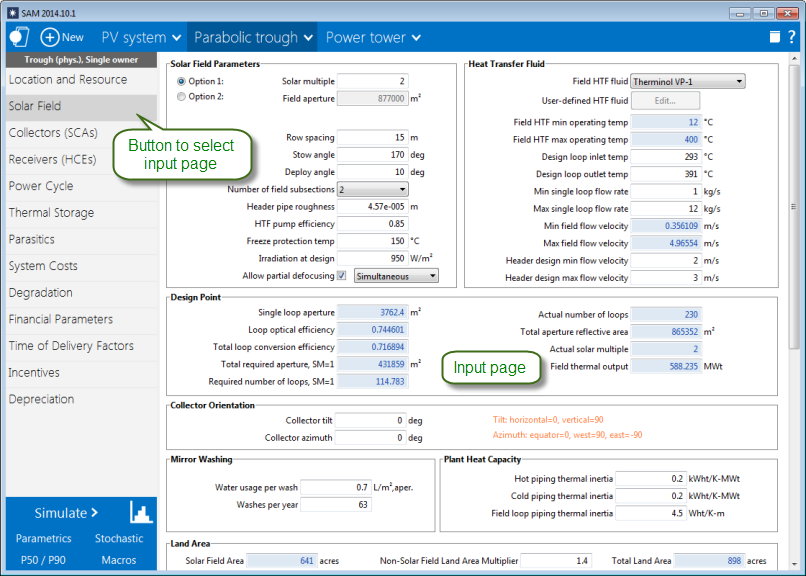
SAM’s input pages provide access to the input variables and options that define the assumptions of your analysis.
When you start a project by creating a new file SAM populates all of the input variables with default values so that you can get started with your analysis even before you have final values for all of the input variables.
Note
To see a list of all input variables and their values for each case in your file, on the File menu, click Inputs browser.
Navigation Menu#
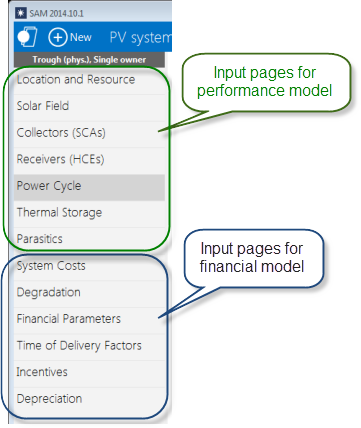
The navigation menu shows buttons for input pages for the performance model at the top of the list, and input pages for the financial model at the bottom:
Colors of Text and Variables#
SAM indicates different kinds of variables with colors.
Input Variables#
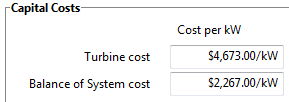
Input variables that you can change are in white boxes with black values:
Calculated Values#
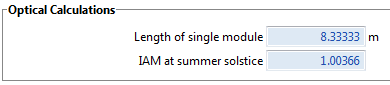
Blue indicates a value that you cannot edit: Either a calculated value, a value from another input page, or a value from a library:
Note
In Windows, press the F1 key (Command-? in OS X) to see the Help topic with descriptions of the equations SAM uses for most calculated values.
Inactive Variables#
Gray data boxes show values for your reference. For example, these input variables on the Location and Resource page show annual averages calculated from data stored in the weather file. You cannot modify data in gray:

Web Links#
Blue underlined text indicates links to websites with useful information related to the input page:
